Our preferred software is Xero, and we can supply this to clients, or link to the clients existing subscription.
We use Xero for bookkeeping, VAT, annual accounting and it links directly into our tax software, so any connection needs to allow us to do all these things.
Where we set up Xero, we can make sure that this is correctly done from the outset. If you are adding us to your existing Xero subscription then we would ask you to follow these instructions.
We also work with QuickBooks, FreeAgent, QuickFile and many others including specialist legal and medical software packages.



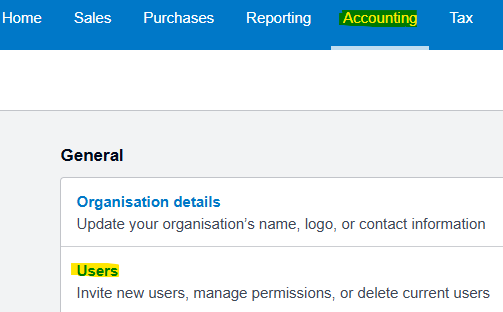
First you need to log into Xero and then access the Users menu.
This can be found off the Accounting menu at the top of the screen.
You then need to select “Invite a User”.
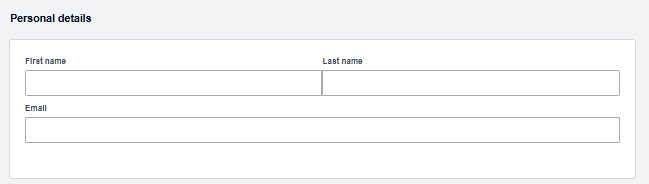
You have to add details of the user. That is the name and email of whoever your contact is in this firm, or you can send it to Angus Nicolson ([email protected]) as the master contact.
Depending on your exact software package, you may not see all the options.
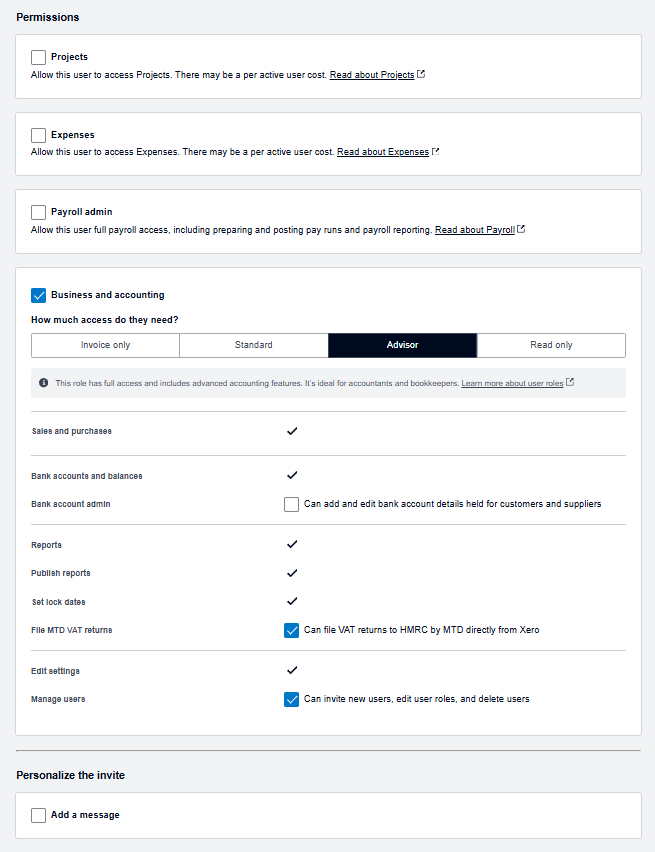
However, you must select Business and Accounting to ensure we have even the most basic access.
We would ask that you select “advisor” as the access type, as this allows us to make adjustments and to link to the tax software efficiently.
Please then give us all the other options as shown, and especially the ability to add users, as that gives us full staff access.
Then just send the invite and an email is sent to us automatically .
That’s it!