Accounting for HP agreements can be slightly tricky but the following information gives general advice on how to post the transactions.
The exact details will vary depending on your accounting software, and we will try and add more detail for specific software packages.
Please ask for clarification if you need more help
The basic assumptions
Let us make the following assumptions about the asset you are buying.
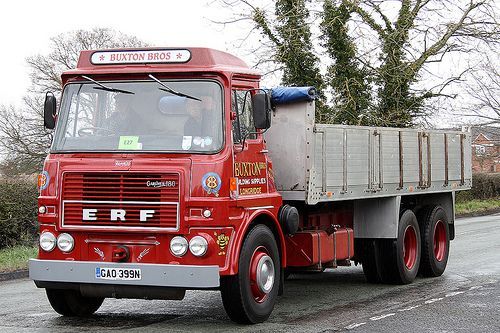
It is a lorry costing £50,000 plus £10,000 VAT, and you are paying a deposit of £20,000, leaving a balance of £40,000 financed on HP.
The payments are £1,000 per month for 48 months, meaning interest of £8,000 in total.
The initial purchase
Add the purchase as a bill to your purchase ledger.
The net of £50,000 is posted to “Vehicles at cost”, VAT charged at 20% and the balance outstanding to that supplier is £60,000.
The VAT should now appear on your next VAT bill in Input VAT.
Paying the deposit
The deposit is treated as an ordinary payment towards the invoice, leaving a balance of £40,000 due to the supplier.
Transfer the balance to HP Creditor
This is slightly trickier to do, and there are a couple of ways of doing this, depending on the software you use. In all cases, make sure the licence number of a clear description is used, and if possible attach a copy of the HP agreement to the transaction.
Xero – create a new Credit Note in Bills, and code £40,000 with “No VAT to the HP Creditor account.
Sage – create a T9 Credit Note in Suppliers, and code £40,000 with “No VAT to the HP Creditor account.
Quickbooks – create a new Credit Note in Suppliers, and code £40,000 with “No VAT to the HP Creditor account. Or you can add a journal and debit £40,000 to the Creditors control account and select the relevant creditor.
The monthly HP payment
Each monthly payment will be the same amount split between capital of £833.33 and interest of £166.67.
Again the way to do this is software specific, and there is also one very simple way.
The simplest way: post the £1,000 against HP Creditor each month. You or your accountant will need to adjust for the interest element at the end of each accounting year. This isn’t wrong: it’s just not the right way.
Xero – set up a bank rule to automatically split the transaction in capital and interest.
Sage – manually split the payment when recording the bank payment.
QuickBooks – you can create a rule to split the payment automatically.
Trade-in of a vehicle
If the deposit is being settled by a trade-in, then there is just another step.
You have to account for the trade-in as a sale instead.
You create a journal on your system to account for the sale of the asset to “Gain/Loss on Disposals” as a VAT transaction. So in this instance the sale is a credit of either £16,666.67 as a VAT exclusive transaction or £20,000 as a VAT inclusive transaction, with the debit being to HP Creditor.